Save Your Wishes, Share,
Make Them Come True
List your dream gifts with WishMate, share with your loved ones, and make every special occasion unforgettable. No more wondering "what do you want?"!






Rediscover Gift-Giving
Create wishlists with WishMate, share with friends, and enjoy the gift-giving experience.
Smart Wishlists
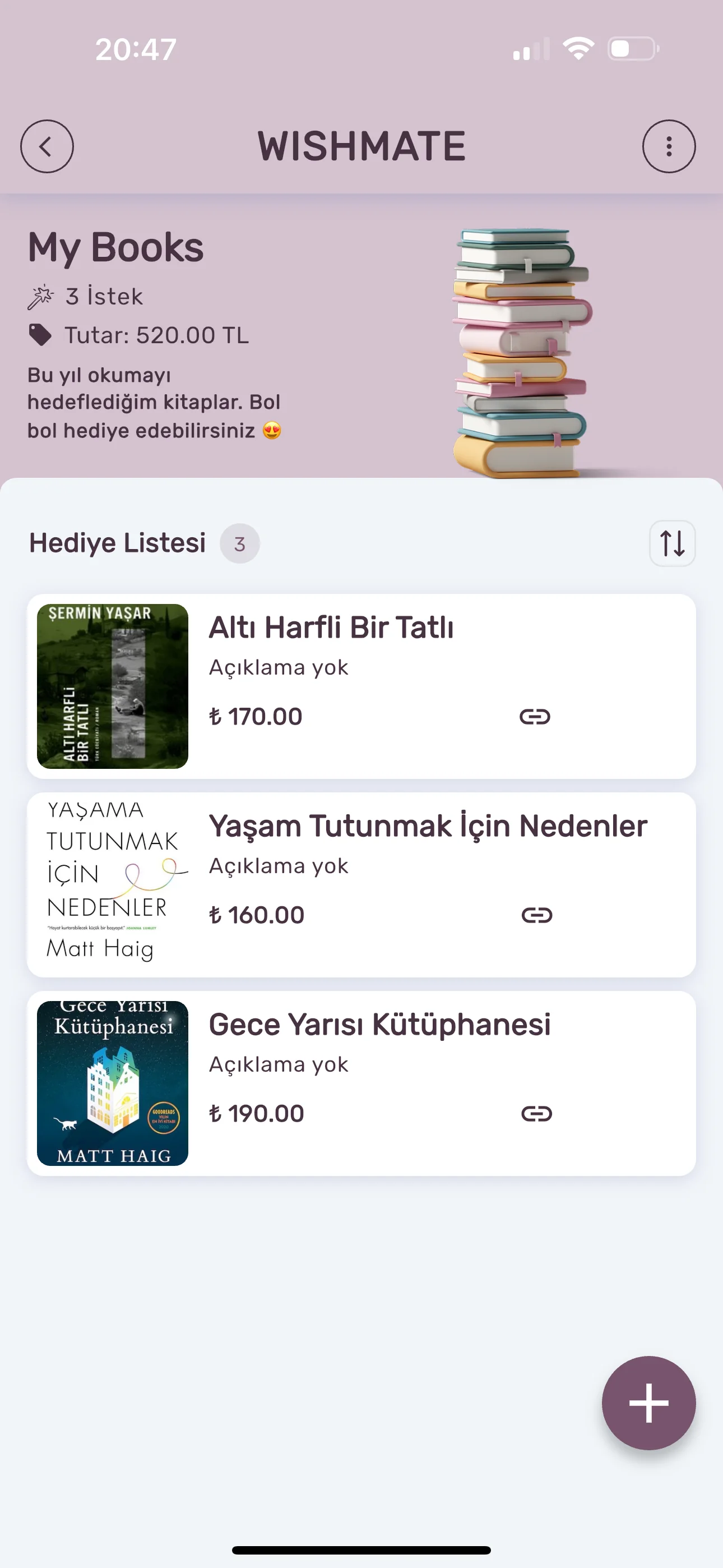
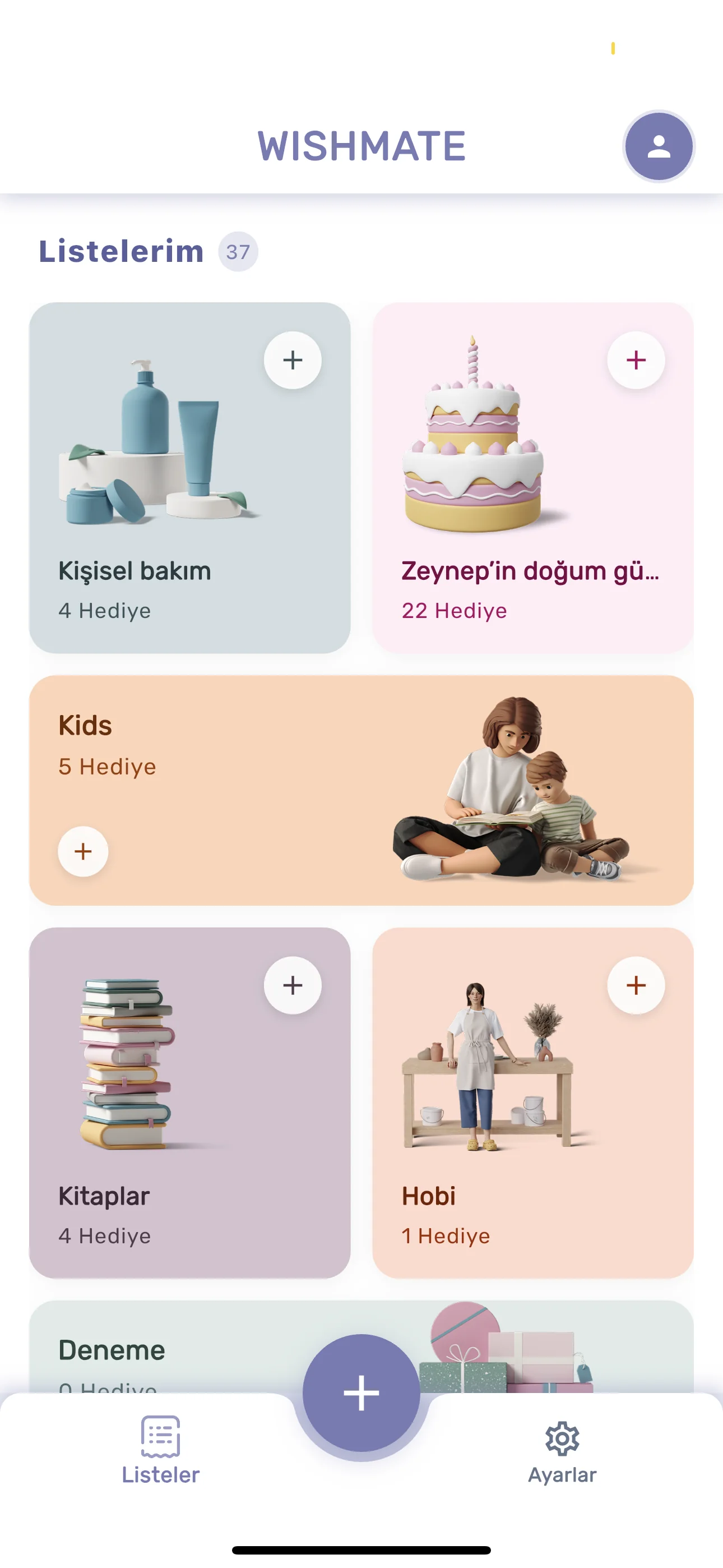
Save your wishes with name, photo, link, and price info. Create separate lists for every special occasion; everything stays organized and accessible in one place.


Privacy Control
You decide who sees your lists. Everyone, friends only, or just you.

Your Social Gift Network
Add friends, see their lists, and plan gift-giving together. No more worrying about who wants what or duplicate gifts; WishMate prevents the same gift from being bought twice.

Smart Notifications
Never miss your friends' special days! Birthday, anniversary, and special occasion reminders.

Gift & Fulfilled Wishes
When a friend clicks "Gift" on a wish in your list, you get a notification; the card turns grayscale or blurred. This prevents the same gift from being bought twice.

Discover WishMate
Take a look at the real app screens and get to know the gift-giving experience up close.

Gift-Giving in 3 Steps
Using WishMate is super simple. Get started now!

Save Your Wishes
Create a list, write your wish; add photo, link, and price info if you like.
Choose Sharing
Make your list public, friends-only, or keep it private. Privacy settings are entirely up to you.
Get Notified When Gifted
Get instant notifications when a friend gifts a wish from your list, track your fulfilled wishes.
Keep Exploring
Get to know WishMate up close.
Frequently Asked Questions
Quick answers to questions you might have before getting started with WishMate.
What does WishMate do?
You add the products you want to a list and share it with your loved ones. The gift-giver picks from the list, and you get exactly what you wanted.
Is WishMate an online store?
No. WishMate doesn't sell products, it only helps you create lists. Payment happens externally — the gift-giver purchases the item from the relevant store themselves.
How do I add items to my list?
Just paste a product link from sites like Amazon, Trendyol, or Hepsiburada — the details are filled in automatically. You can also add items manually with a price, photo, or description.
Do I need to create an account?
Yes, a quick registration is needed to create a list. But people viewing your list don't need an account — they just click the link.
Who can see my list?
You decide. You can make your list public, share it only with specific people, or keep it completely private.
How do my friends access my list?
You share your list's link. If they don't have the app installed, they can open it in a web browser.
What if two people buy the same gift?
When someone marks a gift as purchased, others can see it. This largely prevents duplicate gifts.
Can I see who bought a gift?
Yes, the list owner can see this. If you want to keep the surprise, it might be better not to add the gift to the list until close to the date.
Can I create a list for someone else?
Yes. You can create lists for your child, spouse, or loved one — for birthdays, baby showers, New Year's, any occasion.
Can we do group gifting?
There's no pooled payment support on the platform yet. But lists continue to guide groups who want to buy gifts together.
Is WishMate free?
Core features are completely free.
Is my data safe?
WishMate only stores your list information. It never accesses your payment or card details in any way.
How do I get started?
Download WishMate from the App Store or Google Play, create your free account, and have your first list ready in minutes.